
CES ChatGPT EDU
CES ChatGPT Edu Announcement
CES has signed a new enterprise agreement with OpenAI, expanding access to ChatGPT for faculty, staff and students across the Church Educational System. This investment reflects CES's ongoing commitment to providing secure, enterprise-grade AI tools that support teaching, learning, research, and administrative work.
Availability and Restrictions
Data entered into CES ChatGPT Edu remains private and is not used to improve OpenAI’s models, specifically under the CES agreement. Users may enter Public, Internal, and Confidential data for institutional purposes but should de-identify sensitive information whenever possible. Restricted Data, HIPAA-Protected Data, and Controlled Unclassified Information are not permitted unless explicitly approved by the institutional AI Committee. Please refer to our CES ChatGPT Edu Terms of Service for more information.
For BYU users:
Following a BYU YNews announcement for the CES ChatGPT expansion on September 22nd, you should receive a CES ChatGPT approval email within 7 days.
Note: Check spam, junk email, or other folders.
You will also receive an invitation email from OpenAI, but please use the CES ChatGPT approval email as confirmation that your access has been approved.
If you are a BYU user and have not received the CES ChatGPT approval email within 7 days, contact OIT Support at 801-422-4000 for assistance.
Have Questions?
Logging Into CES ChatGPT Edu
Once you receive your account acceptance email, you can log into your account and start using it immediately. Follow the video instructions or follow the step-by-step tab to access your new account.
NOTE: If you are a BYU Pathway user, the process for logging in will look slightly different. Follow the Pathway step-by-step walkthrough.
Logging Into CES ChatGPT Edu - Step-By-Step Guide
1. Once approved for a license, you will receive two emails. A welcome email from CES and OpenAI and a workspace invite email from Open AI.
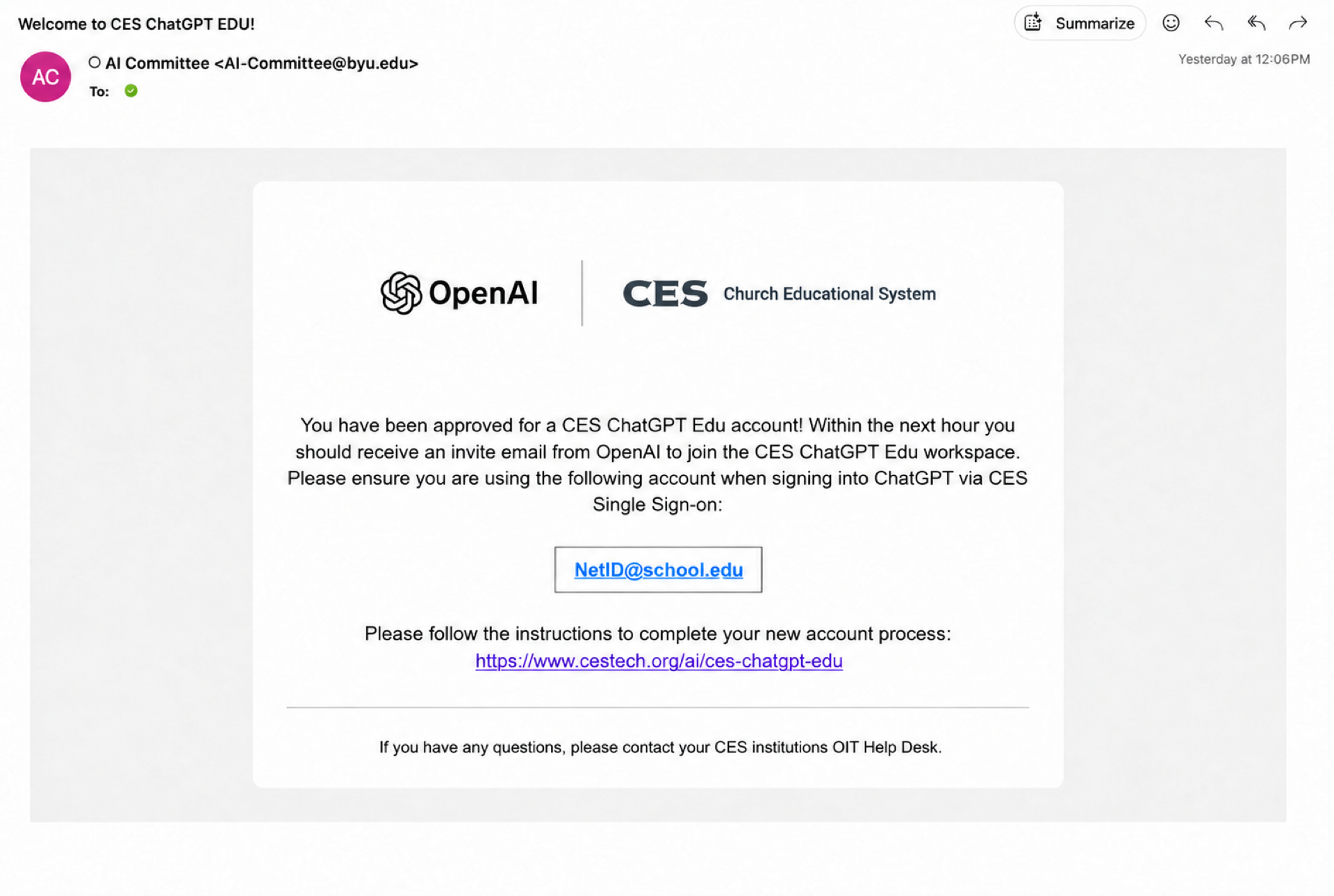

*Note, if you do not see an email in your inbox but know you have been approved, try going to chatgpt.com, signing out (if you are signed in), and sign back in with your institutional netid@school.edu. For example, esmith@byu.edu.
2. The workspace invite email will take you to the “Join CES ChatGPT” screen shown below.
In the “Log in or sign up” input box, your email address should already appear. If it doesn’t, enter your NetID@school.edu.
Do not use the Google, Apple, or phone sign-in options.

| For BYU | This is your netid@byu.edu (not your email address or email aliases) |
| For BYU-Idaho | This is your username@byui.edu (not your email address or email aliases) |
| For BYU-Hawaii | This is your netid@byuh.edu |
| For Ensign College | This is your netid@ensign.edu |
| For BYU-Pathway | This is your netid@byupathway.edu |
3. After inputting your NetID@school.edu, it will ask you how you want to log in. Choose the first option: "Church Educational System". This is the CES Single Sign-on (SSO) option.

4. A screen will then appear that asks you to select your CES institution. Select your home institution.

5. Once all other steps have been completed, you will then have access to your CES ChatGPT Edu account.
If after signing in you are not shown a confirmation message that you have been added to CES ChatGPT Edu, please refresh your screen.

Another confirmation message may also appear and will mention restrictions on sensitive data in CES ChatGPT Edu due to model training. However, you may disregard this message as the current CES contract with OpenAI features increased data privacy and disables the option for model training. Click the "Okay, let's go" button to begin using CES ChatGPT Edu.
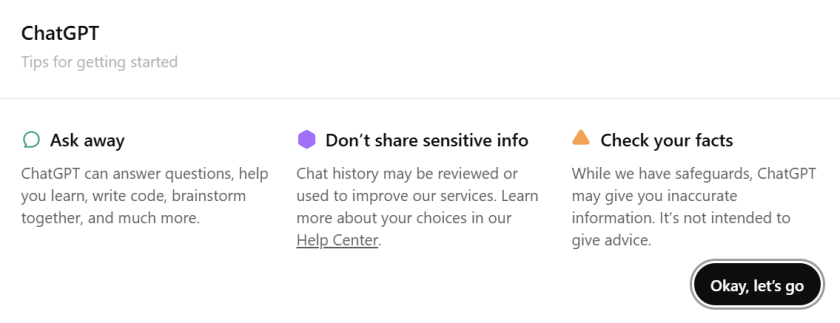
On the next screen, click 'Acknowledge' to acknowledge the terms of service.

CES ChatGPT Edu also has multiple desktop and mobile applications available. All login instructions across applications remains the same.
Contact your university's help desk with any questions or concerns with accessing CES ChatGPT Edu.
Understanding CES ChatGPT Edu Credits
CES has signed a new enterprise with OpenAI CES ChatGPT Edu, using a credit system to support a wide range of AI capabilities. Every interaction uses credits, with the amount depending on the feature being used.
For example, everyday conversations typically use relatively few credits, while more advanced capabilities—such as Deep Research, file analysis, image generation, data analysis, and creating AI agents—consume more.
Understanding how different features use credits will help you choose the right tool for each task and get the greatest value from your monthly allocation.
More education on credit conservation will be provided soon.
Occasionally review your usage so you can better understand how different AI capabilities consume credits.
Viewing Your Credit Usage
To view your usage:
- Open ChatGPT.
- Select your profile icon.

Choose Settings.

Select Usage.
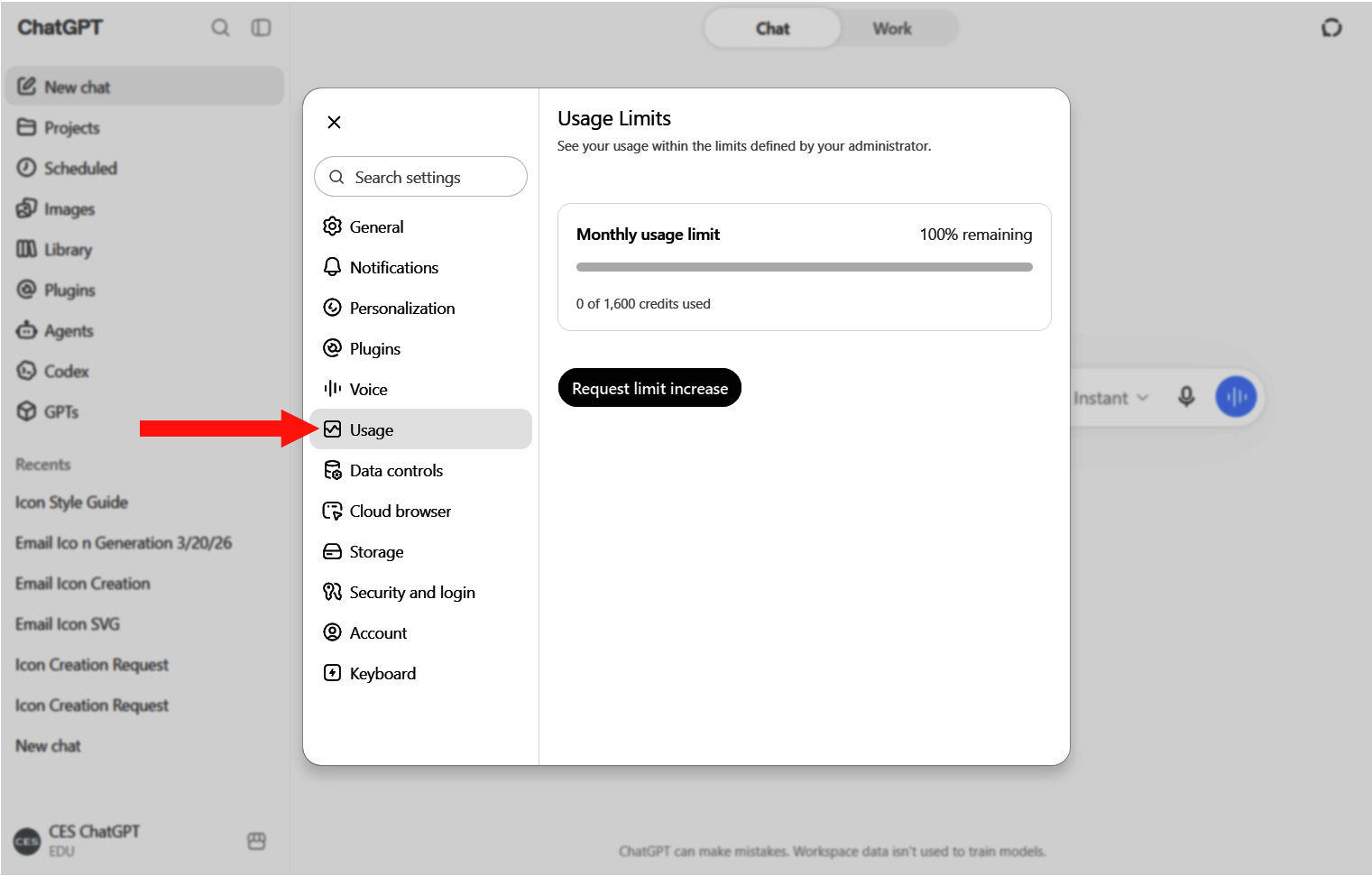
Review your monthly usage and remaining credits.
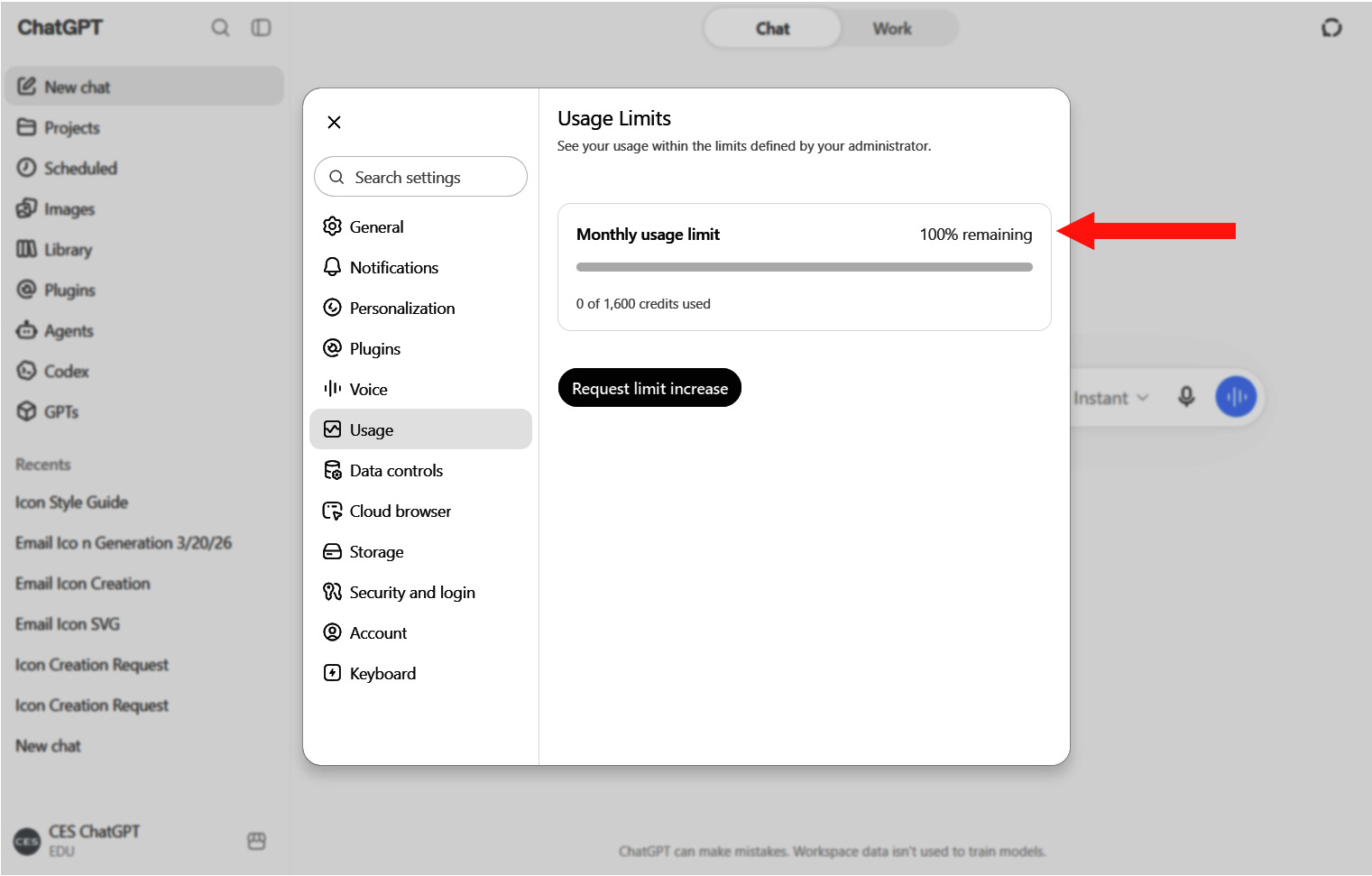
Checking your usage periodically can help you plan your work and take full advantage of your available credits throughout the month.
IMPORTANT
If you already have a personal ChatGPT account using your university email address, accepting the CES workspace invitation may affect access to your existing personal ChatGPT history. Before accepting the invitation, please review and save or export any conversations you want to retain.
CES ChatGPT Edu Terms of Service
CES ChatGPT Edu is an institutionally provided technology resource intended to support authorized teaching, learning, research, creative activity, and institutional work. Use of this service must align with your institution’s Appropriate Use of Information Technology Resources Policy, the CES AI Governing Principles (cestech.org/ai/ai-governing-principles), and all other applicable institutional policies, standards, contracts, and requirements.
By activating, accessing, or using CES ChatGPT Edu, you agree to these Terms. If you do not agree to these Terms, do not activate or use the service.
- Use the service for authorized purposes. Use ChatGPT primarily for authorized educational and institutional purposes, as applicable to your role. Any incidental personal or ecclesiastical use must be permitted under your institution’s Appropriate Use policy and must not interfere with your responsibilities, consume unreasonable institutional resources, or be used for unauthorized commercial purposes or personal gain.
- Follow CES AI Governing Principles. Use AI in a manner consistent with the CES AI Governing Principles of Integrity, Data Protection, Transparency, Accountability, and Innovation & Enablement. When you are uncertain whether a proposed use is appropriate, seek guidance rather than assuming it is permitted.
- Protect institutional and personal information. Do not enter restricted, regulated, confidential, sensitive, or other information that the university creates, owns, or processes and that has not been publicly published or made publicly available, including personal information, student or employee data, research data, internal business or operational information, financial information, and information subject to a confidentiality or data-use agreement, unless you are authorized to use the information, CES ChatGPT Edu is approved for that type of information and proposed use, and any required approvals have been obtained. When use is authorized, provide only the minimum information reasonably necessary for the approved purpose and remove identifying information when practicable. If you are unsure whether information may be entered, do not enter it until you have consulted the person or office responsible for the information.
- Protect your account. Use only the account and capabilities assigned to you. Do not share credentials, transfer access, circumvent access controls, or attempt to obtain capabilities you are not authorized to use. Use reasonable security practices, including logging out of the service on shared devices, protecting active sessions, and following institutional requirements for multifactor authentication and account recovery.
- Use AI responsibly. AI-generated content may be inaccurate, incomplete, biased, or inappropriate. Review and evaluate outputs critically, verify important information, and apply appropriate judgment. You remain responsible for decisions, submissions, communications, work product, and other actions taken or produced with the assistance of AI. Do not represent AI-generated content as independently created when disclosure is required by policy, professional standards, or the circumstances of its use.
- Use shared resources responsibly. Do not intentionally misuse the service, interfere with others’ access, or use AI capabilities or credits in ways that unnecessarily consume or disrupt institutional resources. Do not use CES ChatGPT Edu to violate the CES Honor Code, impersonate another person or misrepresent your identity, or intentionally cause harm to another person.
- Report concerns. Promptly report suspected security incidents, inappropriate access, data exposure, harmful or discriminatory AI output, or other misuse through your institution’s established reporting or support channels.
- Students must maintain academic integrity. AI does not replace your responsibility for your academic work. Use AI to supplement, not replace, your own intellectual and academic work, and do not use it to circumvent required learning. Follow instructor, course, program, institutional Academic Integrity policy, CES Honor Code, CES AI Governing Principles, and other applicable requirements concerning AI assistance. You are responsible for reviewing AI-generated content before using or submitting it and for accurately representing your use of AI when required.
- Relationship to institutional policies. CES ChatGPT Edu is provided as an institutional IT resource. These Terms supplement—not replace—your institution’s Appropriate Use of Information Technology Resources Policy, the CES AI Governing Principles, the Data Use, Privacy, and Security Policy, the CES Institutions Privacy Notice, the CES Honor Code, and other applicable policies. If these Terms conflict with an applicable institutional policy or governing requirement, the institutional policy or governing requirement governs.
- Privacy. The CES Institutions Privacy Notice, which should be read with these Terms and the Data Use, Privacy, and Security Policy, describes how CES institutions handle personal information associated with CES ChatGPT Edu. You should not expect general privacy when using institutional IT resources, and, to the extent permitted by law and applicable policy, your use constitutes consent to the institution’s monitoring and reporting of technology use. The institution may access, preserve, review, restrict, disclose, and retain account information, prompts, outputs, files, logs, and other associated information for lawful institutional purposes, and the service provider may process information as described in applicable agreements.
- Access Restriction. Access may be limited, suspended, or revoked for misuse, security concerns, violations of these Terms or applicable policies, loss of eligibility, or other reasons permitted under applicable institutional policies. Violations may also result in disciplinary action or other consequences.